The holiday season arrives faster than most people expect. If you run a blog, a small shop, or a social media page, the graphics you publish in the next few weeks will decide whether your audience notices you among thousands of similar red-and-green posts.
This guide gives you 25 practical Christmas and New Year graphic ideas, the color and style trends shaping 2026, ready-to-use palettes, and a simple posting timeline. Whether you design in Canva, Photoshop, or a free editor, you can use every idea here today.
Start Early: A Simple Holiday Timeline
Christmas is on December 25 and New Year’s Eve is on December 31, so there is still time to plan well. A realistic schedule looks like this:
| When | What to publish |
|---|---|
| October | Plan your theme, colors, and a folder of assets |
| Early November | Teaser posts, gift guides, early offers |
| Late November | Sale banners and countdown graphics |
| December 1 to 24 | Daily or weekly advent-style posts |
| December 25 | A warm greeting, not a sales pitch |
| December 26 to 30 | Year-in-review and thank-you graphics |
| December 31 to January 2 | New Year greetings and fresh-start content |
Search interest for holiday design ideas usually starts climbing weeks before the date, so publishing articles and graphics early gives them time to be found.
Holiday Design Trends for 2026
Here is what designers and trade shows are pointing to this season.
Moodier reds. At the Christmasworld show in Germany, classic red and green stayed strong, but deeper wine-toned reds, mulberry, and aubergine shades pointed to a moodier direction.
Oversized, theatrical bows. The same show featured large, stuffed, and even furry bows making bold statements next to classic nutcrackers. For graphics, a single giant bow works beautifully as the hero of a card or social post.
Natural palettes. Brown and green combinations grounded displays in nature, which suits calm, earthy designs.
Shimmer and ice. Iridescent finishes, from jewel tones to icy whites, added shimmer. Think soft gradients and frosted textures.
Winter animals with gold. Snowy owls, polar bears, and frosty scenes stayed popular, often warmed with touches of gold.
Tropical Christmas. For something playful, tropical palettes of pink, orange, and turquoise appeared too. This is a great fit if your audience lives somewhere warm.
Scandinavian, monochrome, and vintage. Card designers list Scandinavian minimalism, monochromatic designs, and vintage-inspired elements among the top Christmas card trends for 2026. The same guide also points to geometric patterns, silhouettes, and botanical themes as fresh twists on tradition.
A white “fresh start” for the New Year. Pantone’s color for 2026 is Cloud Dancer, a billowy white that stands for calm, and it is the first white ever chosen for the title. The company describes it as a symbol of a desire for a fresh start, which pairs naturally with New Year graphics. Pantone announced its 2026 color in early December last year, so expect the next one around the same time.

Five Starter Color Palettes
These are suggestions you can paste into any design tool.
| Palette | Colors (hex) | Mood |
|---|---|---|
| Wine and gold | #6B1F2E, #9C2A3C, #D4AF37, #FFF8E7 | Rich, elegant |
| Forest and cream | #1F3D2B, #3F6B4A, #E9DFC8, #B5543A | Natural, cozy |
| Nordic frost | #F4F6F8, #CAD6E0, #7A93AC, #2F3E4E | Calm, minimal |
| Tropical holiday | #FF5C8A, #FF9F43, #1CB5B0, #FFF4E0 | Playful, warm climates |
| Midnight celebration | #0B1A33, #1F3A68, #E5C76B, #FFFFFF | New Year, party |
Classic red, green, gold, and silver are still the safest way to signal the season, so keep at least one of them in any design that has to read as “Christmas” at a glance.
25 Christmas and New Year Graphic Ideas
Christmas Cards and Social Posts
1. Minimal Scandinavian greeting. An off-white background, one pine sprig, and a short message with lots of empty space. The look is simple and works for brands that want to feel calm.
2. Vintage postcard. Mid-century illustrations, retro lettering, and a slightly aged paper texture. Nostalgic designs perform well because they feel personal.
3. Silhouette reindeer scene. Dark silhouettes of reindeer or trees against a pale sky or cream background. Sharp contrast between black shapes and lighter backgrounds creates clean, striking scenes.
4. The giant bow. A single oversized ribbon bow in wine red or deep green as the focal point, with the message tucked below.
5. Wine and gold luxury. Deep burgundy, thin gold lines, and elegant serif lettering. Ideal for premium products and thank-you cards.
6. Tropical Christmas. Pink, orange, and turquoise with palm leaves, a star on top, and sunny lettering. A fun choice for audiences who spend December on the beach.
7. Frosty animal illustration. A polar bear or snowy owl in a soft winter scene, with small gold details like stars or a scarf.
Business and Sales Graphics
8. Countdown graphic. A simple “days until Christmas” design that you update every week or day.
9. Gift guide cover. A flat-lay style cover with product cutouts arranged around a bow, followed by carousel slides for each category.
10. Limited-time offer banner. A ribbon shape, a bold percentage, and a clear end date. Keep the text large so it is readable on a phone.
11. Email header. A wide, simple banner with a festive pattern and one line of text. Avoid dense detail because many email apps shrink images.
12. Thank-you-for-this-year card. A warm customer message with a small illustration, published after December 25 rather than in the middle of the sales rush.
13. Advent calendar series. Twenty-four numbered tiles that you reveal one per day on social media. Trade shows even highlighted tech-enhanced Advent décor, so audiences are primed for this format.
Backgrounds, Overlays, and Assets
14. Bokeh light background. Soft, blurred warm lights behind a headline. Easy to make and works with any product photo.
15. Frosted snowflake overlay. Semi-transparent snowflakes in icy white or iridescent tones, saved as a transparent PNG you can layer over any photo.
16. Pine and ornament frame. A border of branches, berries, and baubles around a blank center, perfect for invitations and quote posts.
17. Snowfall layer. A transparent snowfall PNG you can drop onto thumbnails, banners, and product shots.
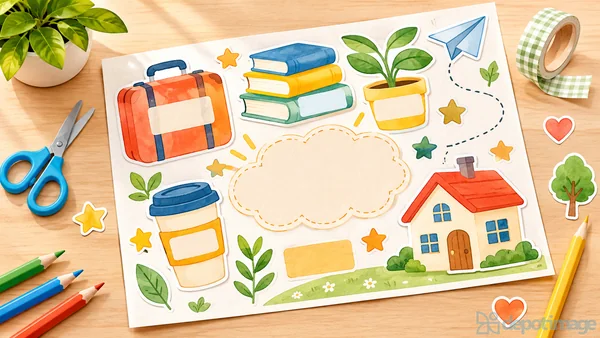
18. Gift tag and sticker set. Small cutouts such as stars, candy canes, mittens, and bells that you can scatter across story graphics.
New Year Graphics
19. Cloud Dancer “fresh start” card. A soft white design with one gold or navy element and the new year number. It leans on a calm trend instead of loud party colors.
20. Midnight navy and gold countdown. A deep blue background, a clock face or numbers, and metallic details. Great for a New Year’s Eve countdown post.
21. Confetti and sparkler overlay. Transparent PNG confetti and sparks that you can add to any photo for an instant celebration.
22. Bold “2027” typography poster. Huge numbers, a limited color palette, and a short wish. Typography-only designs load fast and look clean.
23. Year-in-review recap. A grid of your best moments, products, or milestones from the year, with simple numbers and icons.
24. Goals and resolutions cover. A planner-style graphic with a checklist, a pen, and a coffee cup. People save these posts for later, which helps reach.
25. Party invitation. Metallic balloons, a date, and a location, designed in portrait format so it reads well on phones.

Design Tips That Make Holiday Graphics Look Professional
Pick one hero. A bow, a reindeer, a star, or a headline. When every element competes, the design feels messy.
Limit your palette. Three or four colors are enough. Add subtle texture inside the same color family for depth instead of adding more hues.
Keep text short. Five to eight words is plenty for a social graphic. People scroll fast, and holiday feeds are crowded.
Check contrast. Gold text on a pale background and red text on a dark green background are common failures. Zoom out and view the design at thumbnail size to test it.
Leave breathing room. Space makes a design look expensive. Resist filling every corner with snowflakes.
Stay consistent. Use the same fonts, colors, and logo placement across every holiday post so your page looks like a campaign instead of a pile of random images.
Design for the right shape. Each platform crops images differently, so build your holiday set in the correct sizes. Our guide to [social media image sizes] lists the dimensions you need. (Social Media Image Sizes in 2026: The Complete Cheat Sheet for Every Platform)
Using Transparent PNGs in Holiday Designs
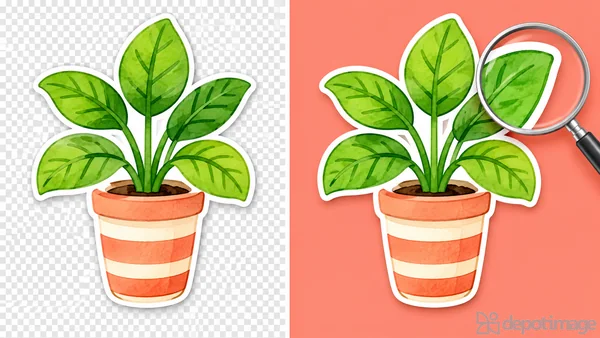
Transparent PNG images are the fastest way to build festive graphics. A single cutout of a gift box, a bow, a Christmas tree, or a string of lights can sit on any background without an ugly white box around it.
A few ways to use them:
- Layer a snowfall or sparkle PNG over a product photo.
- Place a bow or ribbon in a corner of a banner.
- Combine several small cutouts into a sticker sheet for stories.
- Add confetti or fireworks on top of a New Year’s greeting.
You can browse transparent PNG images in our collection at [depotimage.com]. (Golden Star Christmas Ornament on Yellow.) Always read the usage terms on each image page, especially if your project is commercial. If you need a clean cutout from your own photo, follow our guide to [removing a background for free].
Common Holiday Design Mistakes
- Starting too late. Searches and shares build up weeks before the holiday.
- Overloading the design. Too many sparkles, fonts, and colors hurt readability.
- Ignoring your audience’s context. Snowy scenes may feel foreign in a warm country, where a tropical Christmas theme might connect better.
- Using the wrong sizes. A great graphic cropped badly loses its message.
- Forgetting alt text. Describe your holiday images for accessibility and search.
- Selling on December 25. A warm greeting usually works better than a hard sales pitch on the day itself.
- Not saving templates. Build a reusable layout so you can produce a week of posts in an hour.
Frequently Asked Questions
What are the best colors for Christmas graphics in 2026?
Classic red, green, gold, and silver remain reliable. Trend-forward choices include deep wine and mulberry reds, earthy brown and green, icy iridescent whites, and playful tropical pink, orange, and turquoise.
What color should I use for New Year graphics?
Navy and gold are the traditional party combination. For a calmer look, try a soft white like Pantone’s Cloud Dancer with one metallic accent.
When should I start posting holiday graphics?
Start planning in October and publishing teasers in early November. Increase the frequency through December, and use the days after Christmas for thank-you and year-in-review posts.
What size should my Christmas graphics be?
It depends on the platform and format. Portrait images and vertical story formats work best on social media, and link previews use a wide landscape shape. See our image size guide for exact numbers.
Can I make holiday graphics without design experience?
Yes. Use a limited palette, one focal element, short text, and transparent PNG cutouts. Templates in free editors make it even easier.
What file format should I export?
Use JPG for photos and PNG for graphics with text or transparency. Check each platform’s file size limit before you upload.
Final Thoughts
Great holiday graphics do not need complicated artwork. Pick a theme, choose a tight palette, give your design one clear hero, and publish early enough for people to find it. Use this year’s trends, from wine reds and giant bows to quiet white New Year designs, as inspiration instead of a rulebook. With a handful of reusable templates and a good set of transparent PNG assets, you can cover the whole season, from the first November teaser to the final January greeting.
Trend information was gathered from industry reports and design guides available at the time of writing. Check each platform’s current image requirements before you publish.