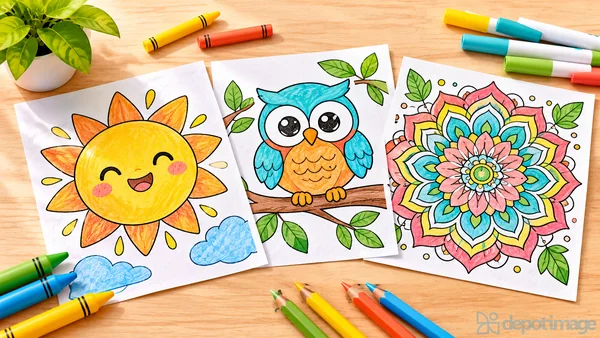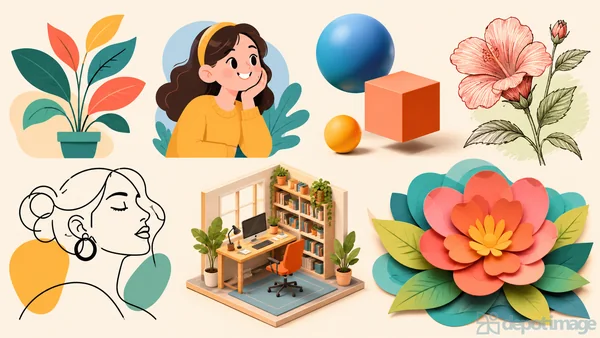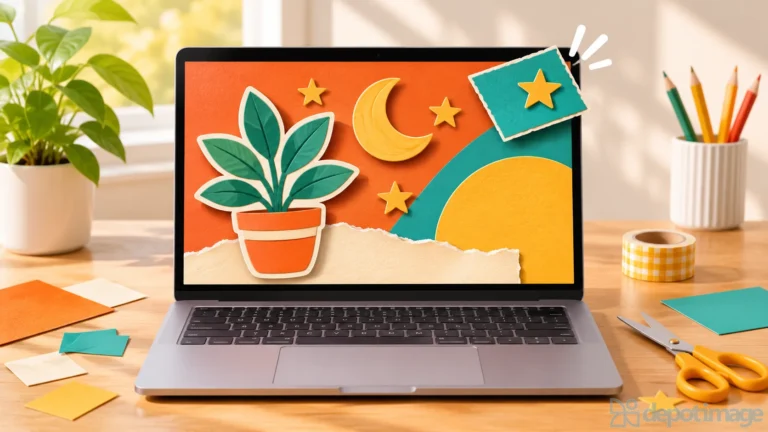
A printable vision board turns vague goals into something you can see every day. Instead of hunting through old magazines, you can build one on screen with transparent PNG images and clipart, move pieces around until the layout feels right, and print the finished board at home. With 2027 only weeks away, now is a good time to start planning. This guide walks you through the whole process: choosing a focus, picking the right images, designing a layout, and printing a clean result. You will also find practical tips on image quality, color, and common mistakes, plus answers to the questions people ask most often. Whether this is your first board or your tenth, the steps below will save you time.
What Is a Printable Vision Board?
A vision board is a collage of images and short words that represents what you want to do, build, or become over a set period, usually a year. A printable version is designed digitally and then printed on paper, so you can hang it on a wall, tuck it into a planner, or keep it on a desk.
Why Transparent PNG Images Work So Well
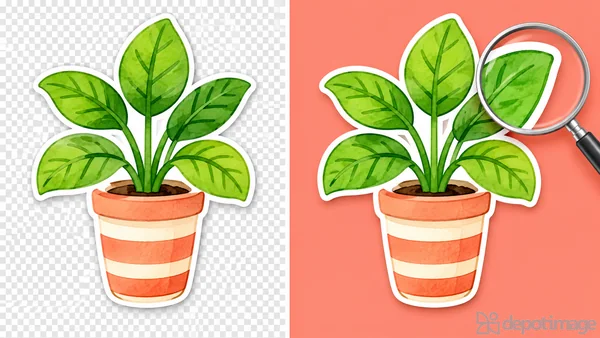
PNG is a file format that supports transparency, which means an image can have no background at all. The format is defined in a W3C standard. For vision boards, that has practical benefits:
- You can layer objects over colors, textures, or other images without white boxes around them.
- You can resize and rearrange pieces freely before committing to a layout.
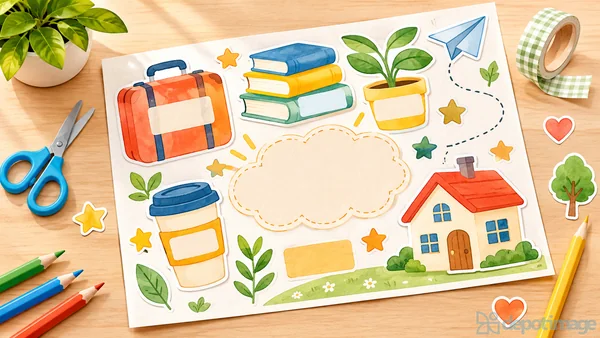
- You can mix styles, such as a watercolor plant next to a flat-style airplane, without a messy result.
- You can reuse the same pieces on a planner cover, a journal page, or a phone wallpaper.
Before You Start: Decide What the Board Is For
A board with forty unrelated pictures usually fades into background noise. A short planning step makes every later decision easier.
Choose Three to Six Focus Areas
Write down the areas of life you want to concentrate on in 2027. Common examples include career, health, travel, learning, home, and creative projects. Fewer areas mean more space for each one and a calmer overall design.
Match Each Area to One Concrete Image
Instead of a vague picture, choose something specific. A small suitcase says more than a generic globe if your goal is a trip. A stack of books says more than a lightbulb if your goal is to read more. Specific images are easier to remember, and they make it obvious when you have made progress.
Pick a Style and a Color Palette
Decide early whether the board will feel soft and watercolor, bold and graphic, or hand-cut and playful. Then limit yourself to three or four main colors. A consistent palette is the fastest way to make a board of mixed images look intentional.
Where to Find Free PNG Images and Clipart
Good source images matter more than any design trick. Look for pieces that are clearly drawn, have clean edges, and match the style you chose.
What to Look For in a Good Image
- Clean edges: Zoom in and check that there are no leftover white fringes or jagged outlines.
- Enough resolution: At 300 DPI, an element printed three inches wide needs roughly 900 pixels across. Larger is safer.
- Consistent style: Images from the same illustration style blend more easily than a random mix.
- Simple shapes: Clear silhouettes read well on a busy board and at small sizes.
Check the Usage Terms
Every source has its own rules, so read the terms before you download. Depotimage offers free PNG images, clipart, and printable resources primarily for personal and non-commercial use. A vision board for your own home, planner, or classroom corner fits that purpose well. If you plan to sell or distribute a finished board, confirm the license for each image first.
How to Make a Printable Vision Board Step by Step
You can use any design tool that supports layers and transparent PNG files. Canva, Photopea, GIMP, and PowerPoint all work.
Step 1: Set Up Your Canvas
Create a page that matches your paper size, such as US Letter (8.5 × 11 inches) or A4. For a poster-sized board, choose 11 × 17 inches and check that your printer or print shop supports it. Set the resolution to 300 DPI if the tool allows it, and add a background color or paper texture.
Step 2: Place Your Anchor Images
Start with your largest images, one for each focus area. Spread them across the page rather than clustering them in the center. These anchors set the structure of the board.
Step 3: Add Supporting Clipart
Fill the gaps with smaller PNG elements, such as leaves, stars, arrows, or icons. Overlap them slightly so the board feels like a real cut-and-paste collage. Leave some empty space so the page can breathe.
Step 4: Add a Few Words
Add short labels or a single word of the year. Choose a clear, readable font and keep each phrase brief. Words like “travel,” “strength,” or “learn” work better than long sentences.
Step 5: Review, Then Save
Step back and look for crowded corners, mismatched colors, or images that no longer feel connected to a goal. Remove anything that does not belong. Export a PDF for printing and a PNG copy for your phone.
Vision Board Design Ideas for 2027
Current design roundups point toward more handmade, tactile looks. For example, Jukebox Print’s 2027 trend report discusses tactile textures and patterns, and Kittl’s 2027 list includes collage, mixed media, and handmade styles. These ideas translate well to a printable vision board.
Go for a Cut-Paper Collage Look
Layer PNG images with slight overlaps and soft drop shadows to mimic paper cutouts. Add a torn-edge frame or a textured paper background for extra warmth.
Try a Pattern or Texture Background
A subtle pattern behind your images adds depth without competing with them. Choose low-contrast patterns so your main pieces stay in front.
Use a Theme Instead of a Grid
Rather than boxes for each goal, organize the board around a path, a tree, or a calendar shape. A theme makes the board more memorable and gives it a clear reading order.
Print, Display, and Keep It Working
Printing Tips
- Print a test page first to check colors and the sharpness of small details.
- Choose matte or lightly textured paper for a handmade feel, or photo paper for richer color.
- Use a print shop for large formats, since home printers rarely handle posters well.
Common Mistakes to Avoid
- Too many images: If you cannot name the goal behind a picture, remove it.
- Low-resolution files: Blurry edges stand out once printed.
- Mixed styles: Combining many unrelated art styles makes a board look cluttered.
- Setting it and forgetting it: Place the board where you will see it, and review it monthly. Update it when your goals change.
Conclusion
A good printable vision board is simple: a few clear goals, specific images, a consistent look, and a clean print. Transparent PNG images and clipart make the process flexible, because you can layer, resize, and rearrange pieces until the board feels right. Start with your focus areas, choose images that represent real, concrete goals, and keep the design uncluttered. Print it, put it where you will see it, and revisit it through the year. If you need source material, Depotimage’s free PNG images and clipart are a convenient starting point for personal projects.
Frequently Asked Questions
What size should a printable vision board be?
Letter (8.5 × 11 inches) or A4 is easiest because home printers handle them well. For a wall poster, use 11 × 17 inches or larger and print at a shop. Design at 300 DPI so images stay sharp when printed.
Can I make a vision board with transparent PNG images?
Yes. Transparent PNGs are ideal because they have no background, so you can layer them over colors, textures, and other images without white boxes. Any design tool that supports layers, such as Canva, Photopea, GIMP, or PowerPoint, can handle them.
How many images should a vision board have?
There is no fixed rule, but fewer is usually better. Aim for one anchor image per focus area and a handful of small supporting elements. If you cannot explain why an image is there, remove it.
Can I use free clipart on a vision board?
For personal use, usually yes, but always check each source’s terms. Depotimage provides free PNG images and clipart primarily for personal, non-commercial use. If you plan to sell or share a board publicly, verify the license for every image.
When should I make my vision board for 2027?
Any time works, but many people make one in late December or early January. Starting in November or early December gives you time to plan, choose images, and test your print before the new year begins.