You found the perfect photo for your blog post, your product page, or your Instagram campaign. It says “free download.” But can you actually use it for your business? Can you edit it? Do you need to credit the photographer?
Those questions come down to one thing: the image license. Free image licenses are confusing because “free” can mean very different things. Some pictures are free to use with no strings attached. Others are free only if you give credit, or only for personal projects.
This guide breaks down the most common free image licenses in plain language, shows you how to tell them apart, and gives you a simple checklist so you can use pictures with confidence.
Why Image Licenses Matter
Every photo, illustration, and graphic is automatically protected by copyright the moment it is created. That means the creator decides how others may use it. A license is the creator’s written permission, and it defines the rules.
Ignoring those rules can lead to takedown notices, demands for payment, or having your content removed from search results and social platforms. Understanding licenses is a small effort that protects your website, your brand, and your clients.
The Main Types of Free Image Licenses
1. CC0 (Public Domain Dedication)
CC0 is the most permissive option. The creator waives their rights as far as the law allows, so you can copy, edit, and use the image for almost any purpose, including commercial projects, without asking permission or giving credit.
Best for: blogs, ads, product pages, printed materials, and client work where you want zero attribution hassle.
Keep in mind: CC0 covers the copyright in the image itself. It does not automatically clear the rights of people or brands shown in it (more on that below).
2. Royalty-Free
“Royalty-free” is one of the most misunderstood terms in stock imagery. It does not necessarily mean free of charge. It means you pay once, or nothing at all on free sites, and you do not owe ongoing royalties each time you use the image.
A royalty-free license still comes with terms. These may limit things like reselling the image on its own, using it in a logo, or using it in products where the picture is the main thing being sold. Always read the specific license of the site you download from.
Best for: general commercial use, marketing, websites, and social media, provided you stay within the site’s terms.
3. Creative Commons Licenses (CC BY, CC BY-SA, and others)
Creative Commons is a family of licenses. Each one is built from a few simple building blocks:
- BY (Attribution): you must credit the creator.
- SA (ShareAlike): if you modify the image, you must share your version under the same license.
- NC (NonCommercial): you may not use it for commercial purposes.
- ND (NoDerivatives): you may use it as is, but you may not edit or remix it.
These blocks combine. For example, CC BY lets you use and edit the image commercially if you give credit. CC BY-NC-ND allows only non-commercial use with no changes, and with credit.
Best for: projects where you can easily add a credit line, and where you have read exactly which blocks apply.
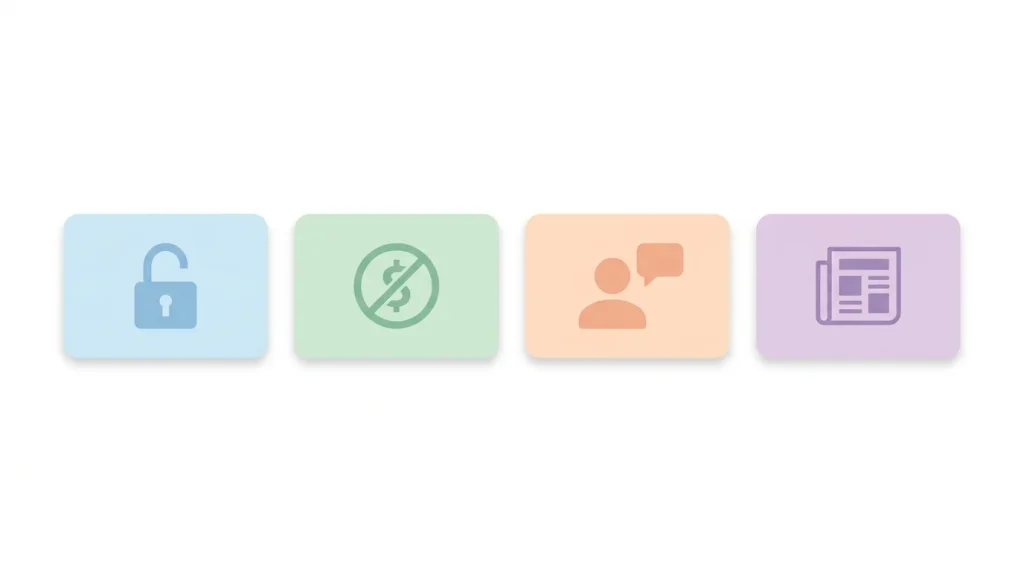
4. Editorial Use Only
Some images, such as photos of news events, public figures, or recognizable brands, are licensed for editorial use only. You can use them to illustrate news or commentary, but not to promote a product or service.
Best for: news articles, blog commentary, and educational content. Avoid for: ads, product packaging, and sales pages.
5. Personal Use Only
Some free sites permit downloads only for personal, non-commercial use, such as a desktop wallpaper or a school project. Putting these on a monetized website or a business page usually breaks the terms.
Quick Comparison Table
| License | Commercial use | Editing allowed | Credit required |
|---|---|---|---|
| CC0 | Yes | Yes | No |
| Royalty-free (typical) | Yes, within site terms | Usually yes | Usually no |
| CC BY | Yes | Yes | Yes |
| CC BY-SA | Yes | Yes, share alike | Yes |
| CC BY-NC | No | Yes | Yes |
| CC BY-ND | Yes | No | Yes |
| Editorial only | No (not for promotion) | Limited | Depends on source |
| Personal use only | No | Depends | Depends |
Always confirm on the image’s own page, since terms can differ between sites and even between individual images.
Hidden Issues: What a License Might Not Cover
Even with a permissive license, a few things can still cause trouble.
People in photos. If a recognizable person appears in an image, their likeness may be protected. Professional stock photos usually come with a model release, but not every free image does. Be careful using recognizable faces in ads or in sensitive contexts (health, finance, politics).
Logos, brands, and artwork. A photo of a phone, a sneaker, or a building with a visible logo or a distinctive design may involve trademark or property rights. Photos containing artwork, murals, or products can carry these concerns too.
Sensitive use. Even where a license allows commercial use, showing a model in a way that implies they endorse a product or condition can be a problem.
Mislabeled images. Occasionally an image on a free site was uploaded by someone who does not own it. Downloading from reputable sources with clear license information lowers this risk.
How to Give Attribution the Right Way
When a license requires credit, a good attribution includes four pieces of information, often remembered as TASL:
- Title of the image
- Author (the creator’s name)
- Source (a link to where you found it)
- License (the license name, ideally linked)
An example line might read: “Sunset Over the Rice Fields” by Jane Doe, via Example Site, licensed under CC BY 4.0.
Place it near the image, in a caption, or in a credits section at the bottom of the page. If credit is hard to include (for example on a product label), pick CC0 or a license that does not require it.
A Simple Checklist Before You Download
- Find the license. Look on the image page, not just the site’s homepage.
- Check commercial use. If your site earns money or sells anything, confirm that it’s allowed.
- Check editing rules. Cropping, filters, and text overlays count as modifications.
- Note attribution requirements. If credit is required, copy the exact wording.
- Look for people, logos, and artwork. Extra care is needed with recognizable elements.
- Save proof. Take a screenshot of the license and the download page, and record the date and source. If your rights are ever questioned, you’ll have evidence.
Common Mistakes to Avoid
- Grabbing images from Google Images and assuming they are free. Search results show pictures from everywhere, regardless of license.
- Assuming “free download” means “free for any use.” Read the terms.
- Forgetting attribution when a Creative Commons BY license applies.
- Using editorial images in ads.
- Ignoring the fine print about reselling, logos, and redistribution.
- Not keeping records of where your images came from.
Where to Find Images You Can Use Confidently
Look for platforms that display clear license information on every image page and describe their terms in plain language. A trustworthy site will make it obvious what you can do with each file. You can browse our collection at [depotimage.com], where each image page shows how the file may be used. (Insert a link to your license page here.)
Frequently Asked Questions
Can I use free images for commercial projects?
Often yes, but it depends on the license. CC0 and most royalty-free licenses allow commercial use. Licenses with the NC (NonCommercial) tag do not. Always check the specific image.
Is royalty-free the same as free?
No. Royalty-free means you don’t pay recurring fees for each use. The image itself might still cost money, or be free, depending on the site.
Do I need to credit the photographer for CC0 images?
No, CC0 does not require attribution. Many people still credit creators as a courtesy, and it’s appreciated.
Can I edit or crop a free image?
Usually yes, unless the license includes ND (NoDerivatives) or the site’s terms forbid it. Check before you modify.
What happens if I use an image incorrectly?
The owner can request removal, and in some cases ask for compensation. The safest path is to verify the license and keep a record of your source.
Is it safe to use photos with people in them?
It’s safer when a model release is available. When in doubt, choose images without recognizable faces, especially for commercial or sensitive topics.
Final Thoughts
Free images can make your content look professional without a big budget, as long as you know the rules attached to them. Remember the essentials: check the license on every image, respect attribution requirements, be careful with people and brands, and keep a record of where each file came from. A few extra minutes of checking can save you from much bigger problems later.
Disclaimer: this article is for general information and is not legal advice. For important commercial projects, consult a qualified professional.